
MAGIX slideshow: the interesting way to present photos
Slideshows are a great way of transforming a heap of unsorted pictures into an exciting multimedia presentation.
Usually you have to hope that friends and family won't want to disappear when you suggest showing a few photos from your last vacation, family gathering or recent trip. The user doesn't need to be a photo editing whizz to create a slideshow. Normally these programs are straightforward tools that allow users to arrange photos into the right order, correct imperfections such a redeye, make cool transitions between photos and to add music to slideshows. Creating slideshows using slideshow software isn't rocket science. The quality of the features, the amount of transitions, the number of the image effects and how easy they all are to use varies quite considerably from program to program.

As a multiple test winner praised for how easy it is to use, Photostory easy from the German software specialist MAGIX is one of the big players on the scene. Despite its simplicity this slideshow software can deal with the highest demands, as shown by this feature list.
- Panorama montages for widescreen photos
- Image in image animations
- Travel route animations
- 3D logos, titles and captions
- Dubbing and background music
Anyone in a rush is guaranteed to be able to create great multimedia presentations in just three minutes This automatic feature is sure to impress and is ideal for anyone who could do with a bit more time to make a quality presentation with their photos. No matter if you're in a rush not everyone should put a bit of effort into presenting their photos - nowadays people expect more than just a few unedited photos thrown together. After all it doesn't take long to put a slideshow together, plus it's a great way to portray the emotions of the people in the photos.
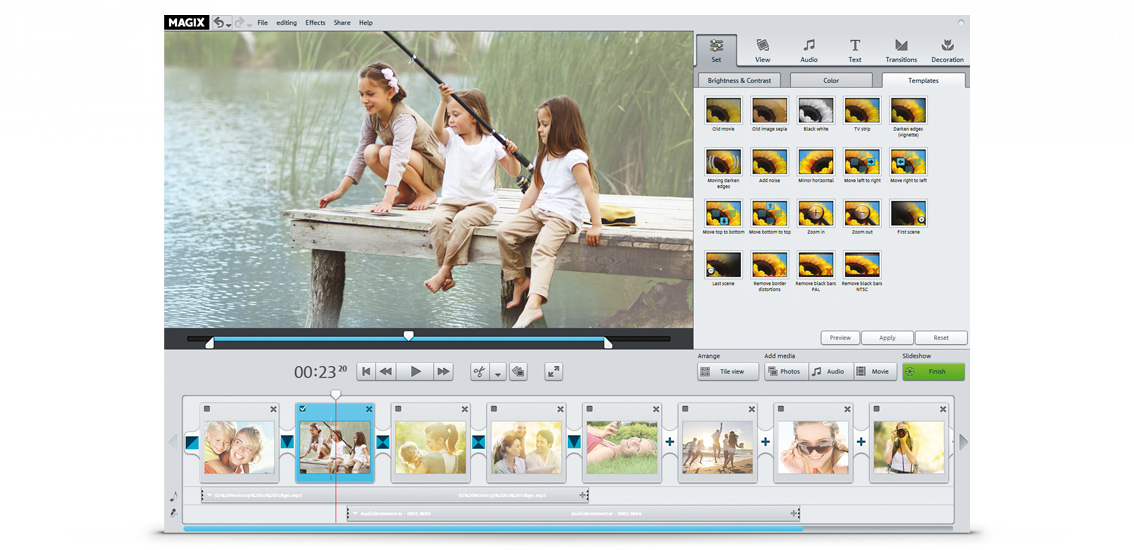
Anyone can create a slideshow in just three minutes
If you're pressed for time but still need to come up with professional results and a cool way of showing your photos in just a few minutes you should check out Photostory easy. This classic slideshow software provides everything you need to design an impressive slideshow on your PC.
















