

Create a 360° video that's an all-round success
The complete 360° bundle
MAGIX Movie Edit Pro includes all the essential 360° editing features to make optimizing your 360° recordings easy – from high-resolution import and a wide range of effects to fast export in all standard formats.
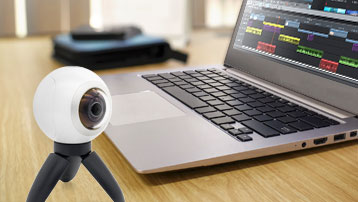
Import raw 360° material
For 360° recordings with 4K videos! Just drag&drop to load your videos into the program. Movie Edit Pro automatically recognizes your 360° recordings and adjusts your editing workflow to your camera model.
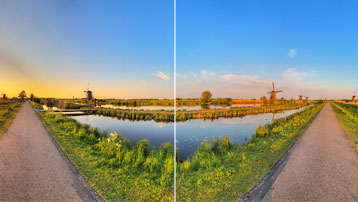
Stitch 360° recordings
360° stitching fuses individual camera images seamlessly together. This can be done quickly and precisely in Movie Edit Pro using presets for popular camera types.
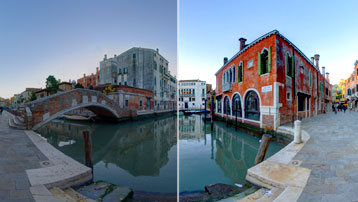
Image optimization with color grading
Built-in color grading gives your recordings a realistic appearance. The software corrects errors in your recordings in no time and lets your videos pop with colors that are fresh and vivid.
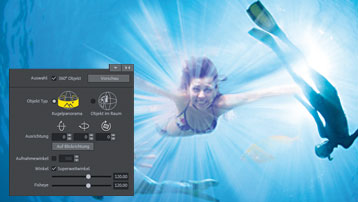
360° video editing
Work with only your best scenes and remove unwanted footage fast. Join scenes with high-quality transitions and produce films with unique soundtracks.

360° titles
Apply animated titles to special moments. They're freely customizable and can be added to 360° recordings, where they move automatically when the video is rotated.

Picture-in-picture effects
Enhance your 360° recordings with picture-in-picture effects. For instance, add info graphics or your favorite vacation photos to a 360° video of your last trip abroad.

360° perspective rotation
Front and back only If you want to give your viewer orientation within the 360° space and keep the main subject in the direction of view, use the built-in Free Rotation plug-in. For successful 360° films, it's a must.
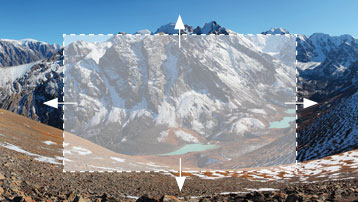
Convert 360° to 2D
To make your 360° videos accessible to everyone, transform them to 2D. Use the integrated 2D zoom animation feature when you've used your camera to film an event and want to show it to others.

Export stunning 360° films
Movie Edit Pro supports video export for all standard formats and includes direct links to Youtube and Vimeo, so you can share your finished 360° films with as many people as possible.
The award-winning video software
Movie Edit Pro Plus
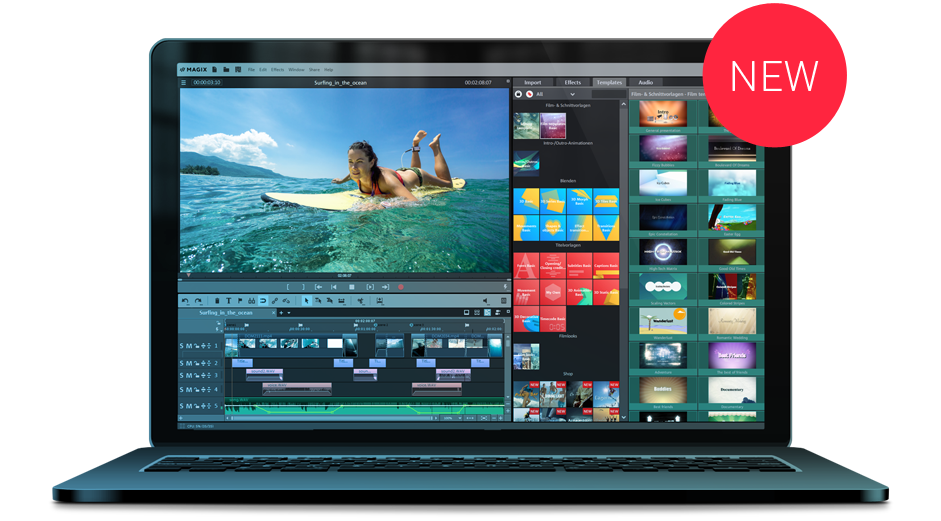
Video editing with Movie Edit Pro enables you to create unique videos. Access high quality effects and easy operation for amazing results. Whatever kind of video project you're planning, Movie Edit Pro sets you up for success.
Optimal performance thanks to high-performance Intel® technology: Edit 4K video recordings smoothly with Intel® GPU hardware acceleration. Fast video import and export with Intel® QuickSync technology. Made possible by our partnership with Intel®.
Experience the difference!
Highlights in Movie Edit Pro Plus
- More than 1,500 effects, transitions, menus, intros & outros
- NEW! Soundtracks and special effects included
- NEW! Plus pack: With additional effects worth a total value of € 49.95
- Smooth 4K proxy editing
- Fisheye correction
- Multicam editing for up to 4 cameras
- NEW! 200 multimedia tracks
- Automatic wizards
System requirements
All MAGIX programs are developed with user-friendliness in mind so that all the basic features run smoothly and can be fully controlled, even on low-performance computers.
Some advanced program features demand more of your computer's processing power. To get the most from these features, your system should at least meet the recommended requirements.
The technical data for your computer can be found in the control panel of your operating system.
Operating systems
You need a 64-bit version following operating systems:



Minimum system requirements
- Processor: 2.4 GHz (Quad-core processor with 2.8 GHz or better recommended*)
- RAM: 2 GB or higher (8 GB recommended*)
- Graphics card: Onboard, minimum resolution 1280x768. (Dedicated, at least 512MB VRAM recommended)
- Hard drive space: 2 GB for program installation
Internet connection: Required for registering and validating the program, as well as for some program features. Program requires one-time registration.
Note: NewBlue ColorFast 2 & Elements Overlay require an OpenGL 2.1 enabled graphics card with at least 256 MB VRAM.
*Recommended configuration for 4K/HD editing
File formats
Video standards
| Import | Export | |
|---|---|---|
| AVCHD disc | ||
| Blu-ray Disc | ||
| DVD |
Video formats
| Import | Export | |
|---|---|---|
| (DV-)AVI | ||
| M(2)TS | ||
| MJPEG | ||
| MKV | ||
| MOV | ||
| MXV | ||
| VOB | ||
| WMV(HD) |
Video codecs
| Import | Export | |
|---|---|---|
| HEVC/H.265*** | ||
| MPEG-1/2/4 |
*** HEVC encoding requires fee-based activation
Audio
| Import | Export | |
|---|---|---|
| MP3 | ||
| MIDI (Plus version or higher) | ||
| OGG | ||
| Surround Sound/5.1 (mixdown to stereo) | ||
| WAV | ||
| WMA |
Note: MP3 export requires installation of Windows Media Player Version 10 or higher.
Image
| Import | Export | |
|---|---|---|
| BMP | ||
| GIF | ||
| JPEG | ||
| TGA | ||
| TIF |
Devices
- FireWire interface for use with DV/HDV camcorders
- USB interface for use with HD camcorders, cameras, hard disk recorders, and webcams
- Video, TV, or graphics cards with video input for digitizing analog sources
- Optical drives: Blu-ray, DVD-R/RW, DVD+R/RW, DVD-RAM, or CD-R/RW burner
Media-X-change
MX stands for Media-X-change – the fast exchange of media with other MAGIX programs, online services and mobile devices.
Easily transfer your video data to the following programs and services from MAGIX:
Sound optimization
Transfer your edited videos to MAGIX Music Maker or Video Sound Cleaning Lab. Here, you can also:
- Create soundtracks
- Remove noise
Always with you, no matter where you go
Easily export your movies and videos to mobile storage devices with the Export Wizard.
- Transfer to smartphones
- Watch on your TV via SD card
Share with the world
Share your projects on Vimeo or other Internet platforms with just a few clicks.
- Upload to YouTube and Vimeo
- Post on Facebook and share with friends
Copyright iZotope RX Elements: iZotope, powered by iZotope, RX® Elements, copyright © 2017. iZotope, Inc.
Intel, the Intel logo, Intel Core, Intel Inside, and RealSense are trademarks of Intel Corporation in the U.S. and/or other countries.