Digital Photo Maker 9 Download Version

Ideal for beginners

Is your photo collection constantly growing? Do you need help organizing and optimizing your photos? Then MAGIX Digital Photo Maker 9 is the perfect solution.

At last: get more time behind the lens than on your computer!

At last: get more time behind the lens than on your computer!

MAGIX Digital Photo Maker 9 is the perfect personal assistant for your photo experiences: Import photos & video clips and manage, optimize, and present them – your pictures & videos are in good hands.

Top quality + intuitive interface + non-destructive real-time editing

Photo optimizer

Perfect quality in a snap: Enrich individual snapshots or complete image series at high speed. Extensive quick optimization corrects the red-eye effect or white balance automatically to produce perfect photos with brilliant colors and contrast. Especially impressive: Auto-exposure and horizontal alignment!

  • Optimal brightness
  • Perfect contrast
  • Flawless sharpness & depth
  • Remove color tinting

It's the perfect way to make your old picture collections shine again. Detailed editing, addition of titles & text, and editing of video clips is also possible.

Practical:

  • Presets for the picture quality of your camera model and for special lighting conditions can be set individually
  • Optimizations can be transferred to any number of other photos in the same folder (ideal for similar lighting conditions)
  • If you like, quickly and easily optimize while you view or present your pictures (via mouse or keyboard)
  • Portrait photos are detected automatically and rotated automatically to the correct position (also manually possible)

NEW! No more red eye!

Correct complete folders of photos in one process!

Correct complete folders of photos in one process!

Your pictures from the last family celebration look great, but a lot of your relatives have glowing red eyes! Simply apply this function to the whole folder – the red-eye effect will disappear automatically.*

This function may also be applied to individual photos, multiple photos (multiple selection), and complete photo folders.

* Most red eyes are detected automatically, but in some cases, depending on the perspective, tilt, rotation, crop, or interlapping of faces, tolerance can be expected. These deviations can easily be corrected manually.

Panorama montage

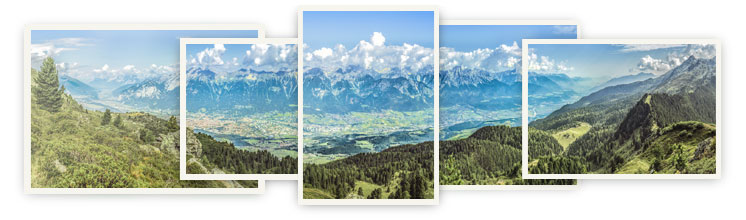
Seamlessly combine individual photos to create fantastic panorama photos. Includes automatic focal distance recognition and correction of lens distortions and perspectives.


NEW! Correct "curving lines"

"Curved" vertical lines are those lines and edges, which run together in an image, although they are parallel to each other in reality.This effect often occurs with photos of buildings. The 1-click correction function quickly and easily makes these pictures look the way they should.

NEW! Illustrations of travel routes

Perfect for your travel album!

Perfect for your travel album!

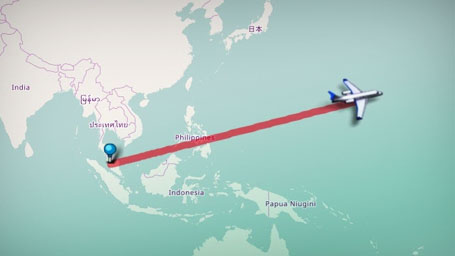
Use online maps to design unique travel routes that match your pictures.
Show your family and friends where you visited, the locations you stopped at, and how far you went. 
Highlight the best parts of your vacation!

NEW! Remove objects from compositions

Now, nothing stands in the way of the perfect composition!

Now, nothing stands in the way of the perfect composition!

Unwanted objects may be automatically removed from photos. Whether poles or power lines, every picture becomes a perfect photograph.

Mobile phone cameras in top shape

Do you use your mobile phone's camera?
That's perfect! MAGIX Digital Photo Maker 9 is also ideal for optimizing and managing your mobile phone pictures and videos*. In just a few seconds, typical defects like off-color tinting are made history. Contrast, brightness, and crop are edited quite easily. Practical settings for camera phones are included to correct typical errors with just one click.

* MAGIX Digital Photo Maker supports all conventional Microsoft® DirectShow™ compatible video formats. The corresponding codecs have to be installed on your PC (these are normally available from the accessories CD or from the hardware manufacturer's website).


Photo Manager

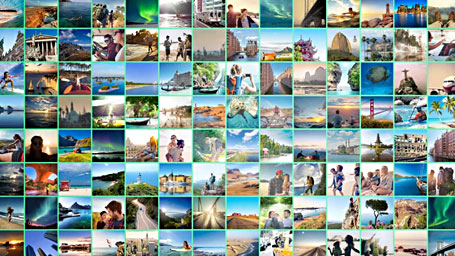
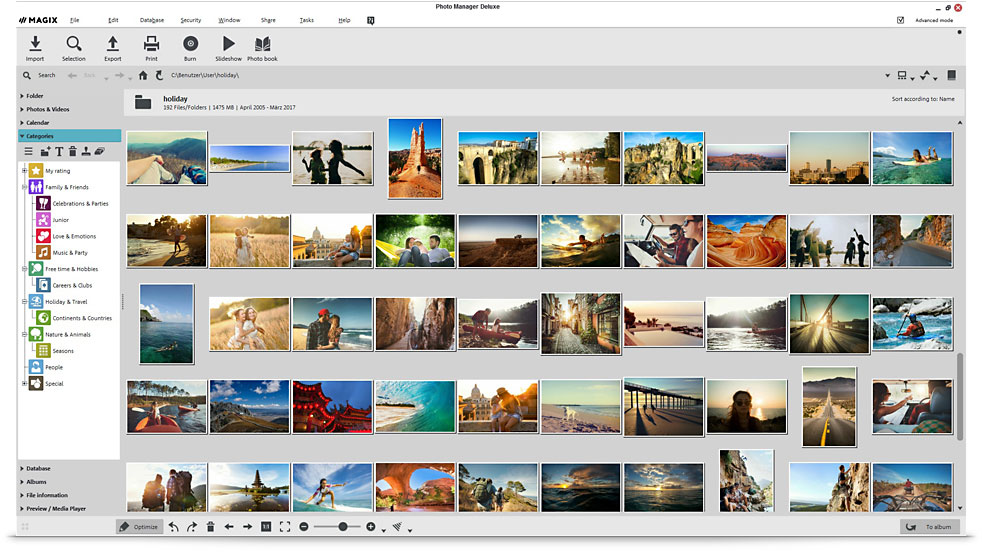
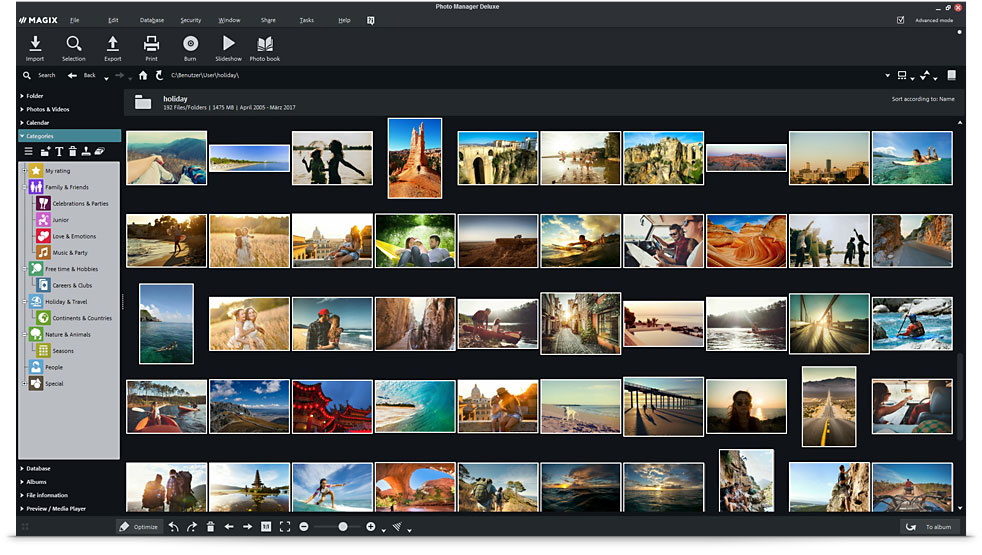
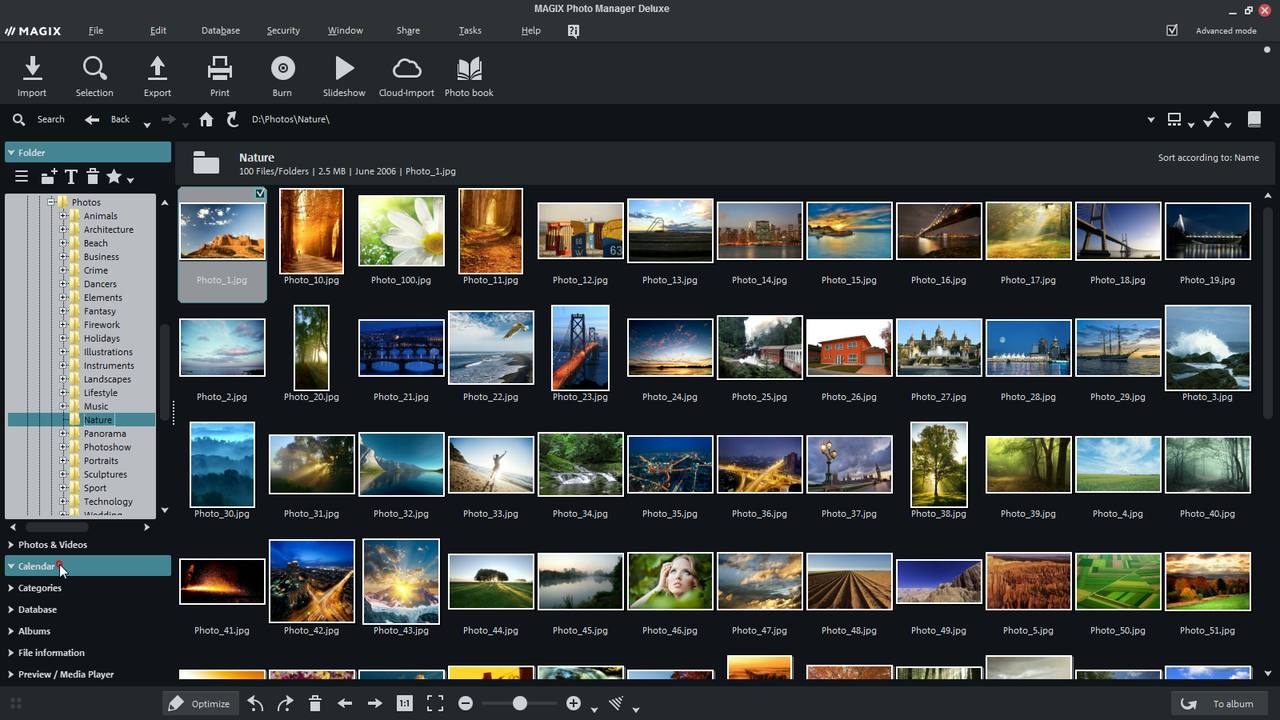
For the perfect overview: Import, organize, sort photos & videos comfortably and clearly. Including rating functions and unique categories.

Archive your visual media with the integrated database according to diverse criteria and your own categories. Organization of your data according to the date it was created takes place automatically.

Practical: MAGIX Digital Photo Maker 9 is able to access databases from previous versions of the software or from MAGIX Photo Manager and integrates the information that is already present.
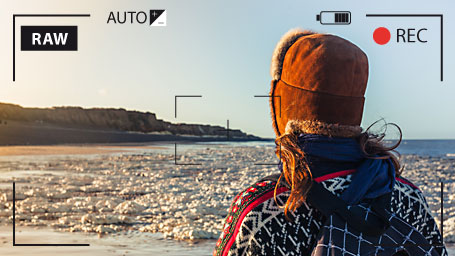
Includes RAW support* for over 270 camera models!

* The list of supported camera models is constantly being updated (more info at www.magix.com).
RAW support.

Rate photos

Rate photos

Your database possess the attractive option of rating your photos and videos with a 1 to 5 star scale.
For example, a single star might be suitable for all of your photos which require correction, while four stars indicate those which are suitable for printing, and five are reserved for those favorites which you would like to process for a special gift.
It's a great way to keep an overview of how your photos are managed.

NEW! Automatic categorization

MAGIX Digital Photo Maker 9 was developed to keep your picture collection clearly organized. There's an especially clever function for sorting, cataloging, and locating your photos – e.g. keywords for photos that automatically categorize your photos according to their contents.
This simplifies searching and thematic sorting of similar photos from different origins.

Personal categories

Personal categories

Besides automatic assignment of categories, you can also specify your own categories and assign your pictures & video clips to them without having to copy them multiple times.
For example, you might take a picture of the sunset in Spain with your favorite camera or with your mobile phone. At the same time you could design the process so that all of your photos from Spain, sunsets, or all of the photos from your favorite camera or mobile phone could be found according to these criteria and viewed with a single click.

Find similar photos

Locate quickly and easily:

Locate quickly and easily:

PhotoID™ finds similar photos and duplicates in a flash. 
Do you want to find all of your ski vacation photos or beach pictures? No problem! This technology from the Fraunhofer® Institut lists the images you're looking for quickly and precisely. You can even find duplicate photos quickly to remove them from your hard drive.

IMPROVED! Recognize faces

The innovative Fraunhofer® FaceID™ technology automatically analyzes faces in digital pictures and sorts them individually according to the person's name. This makes it a snap to assign faces to individual people, add individual names, and find all pictures of one or multiple people – no matter which folder these pictures are located in.

Protection for your photos

Afraid you might lose your data? Secure your memories quickly and reliably before it's too late

Afraid you might lose your data? Secure your memories quickly and reliably before it's too late

Automatic backups & photo archives on CD and DVD

Burn your photo and video archive regularly and automatically onto CD or DVD – completely or partially. Directories or partitions on the hard drive can be supervised and access to them can be added in the database.

Non-destructive workflow

Non-destructive workflow

Restore deleted photos or undo changes you made. Whenever you want!

Personal password protection

Protect private data from unauthorized access.

NEW! Presentation mode

Experience your photos & videos as an exciting show

Experience your photos & videos as an exciting show

resentation mode enriches your pictures with stylish zooms & camera pans (the "Ken Burns" effect) and plays music contained in the folder. Impress your friends & acquaintances – the mouse laser pointer completes the perfect show.

NEW! YouTube™ upload


Present your pictures for free in your own MAGIX Online Album (Examples) or share your most beautiful, funny, or spectacular photos with the world and upload them directly to YouTube™ from the program.

Slideshow enthusiasts from all around the world will be able to experience your work and even comment.

Digital picture frames & mobile players

Would you like to display your images & videos in your living room on the shelf or on the wall?

Would you like to display your images & videos in your living room on the shelf or on the wall?

Digital picture frames make it possible. Transfer them directly from the program.

MAGIX Digital Photo Maker 9 supports mobile devices, too. Photos, videos and music may be transferred via USB, to compatible Bluetooth™ devices and SD card readers. This way, you can enjoy your most beautiful photos any where and any time.

Photo book & print service

High-quality photo albums

High-quality photo albums

Do you need a personalized and unique gift? Design high-quality photo albums however you want: Set the format, seelct your pictures, add text, and have them printed for a low price – finished.

Excitement guaranteed!

Online Print Service

Online Print Service

Experience your images in razor-sharp quality on premium photo paper or as high-quality photo gifts.
Includes lightning-fast delivery to any address!

NEW! CD/DVD covers & labels

The integrated MAGIX Xtreme Print Studio is the ideal for unique CD/DVD cases and labels. Quickly and easily design and print labels, covers, inlays, and booklets. Even complete track listings, shapes, and lines can be added.

Also ideal for netbooks

So-called "netbooks" for on the go are the latest trend. To organize and optimize your photos on your netbook too, MAGIX Digital Photo Maker 9 also supports a screen resolution of 1024 x 600.

Manage your photos even while you're on vacation or on the go – your most beautiful pictures can accompany you with your netbook wherever you go!

* See system requirements

Your advantages

Easy to operate

Easy to operate
  • Task Wizard
  • Video tutorials
  • Manage videos
  • Direct access to any file

Flexible search options

  • Face recognition & person search
  • Find similar & duplicate images
  • Personal categories, calendar & ratings

Direct access to any file

Integrated quick optimization

Integrated quick optimization
  • Complete folders in one process
  • 1-click & real-time editing (non-destructive)
  • Panorama montages, edit video clips

Archive, back up & burn

  • On PC, CD & DVD
  • Restore deleted images and videos
  • Password protection

Present & share

Present & share
  • Multimedia shows
  • Spoken commentary for photos
  • Convert & export universally
  • Export to digital picture frames & mobile players

Functions at a glance

The best for your pictures

The best for your pictures

Only MAGIX Digital Photo Maker 9 offers you maximum functions with optimum user-friendliness and innovative functionality. All automatic, in top quality, and for the most diverse applications.


Compatible with Windows® 7

This product has been tested for operational conformity and functional security in Windows® 7.


The advantage: If you switch to the new Windows® operating system, you will be able to continue to use this product as usual.

For Microsoft® Windows® XP™ | Vista™ | 7™