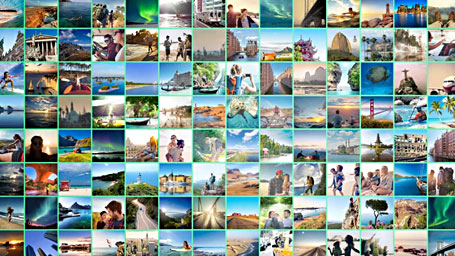
Optimize, present, manage and
archive your photos

The timesaving photo workflow!

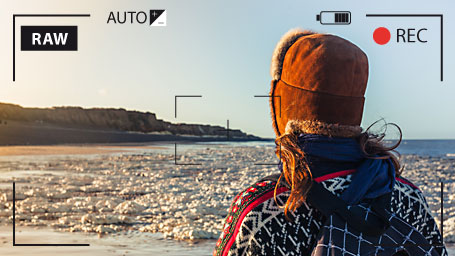
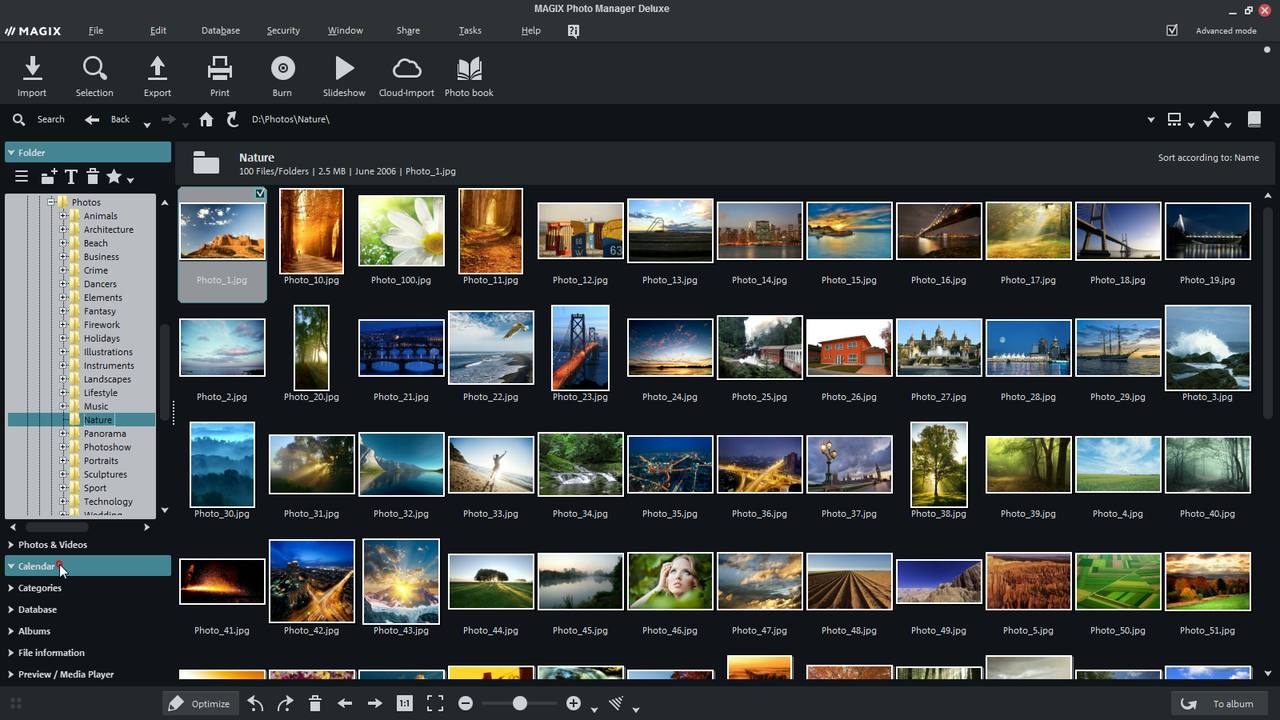
You'll be completely organized at every step, from shutter release to finished photo! The high-performance features of MAGIX Photo Manager MX Deluxe (Version 11) simplify and speed up every step in your photography workflow. Optimize entire photo collections quickly and easily. Present your photos and video clips on your PC or the Internet. Manage your photos and video clips and archive them as backups to protect them from theft or data loss.

You can take care of all your photo editing needs in one simple program!

Video clips can be viewed & adjusted

Do you like to make video clips with you camera? Use the program's various sorting functions to organize your video clips* in one easy step.

You can even edit the start and end points of your video clip.

*MAGIX Photo Manager MX Deluxe supports all standard Microsoft® DirectShow® compatible video formats. The corresponding codecs have to be installed on your PC (these are normally available from the accessories CD or from the hardware manufacturer's website).

The mobile photo developing lab

Stay perfectly organized on the road, too! MAGIX Photo Manager MX Deluxe is also the perfect mobile digital photo lab.

You can view and manage your photos while on vacation and arrive home with all your pictures perfectly organized. It's also ideal for creating great presentations on the go. Send your pictures by email or upload them to your Online Album while you are still enjoying your vacation. Your friends and family back home will be able to experience your vacation with you.

Print your photos with flexible print functions

Print photos directly from the program! With various print layouts and settings options you can present your photos in top quality. Whether in standard sizes, as posters, poster puzzles, with borders or comments – it's up to you.

Print personalized CD/DVD cases & labels

The integrated MAGIX Xtreme Print Studio is ideal for unique CD/DVD cases and labels. It's great for designing and printing labels, covers, inlays, and booklets quickly and easily. You can even add shapes and lines. Round off the look of your personal CDs and DVDs in perfect style!

Enhance your photos easily

Edit images

Get the most out of your pictures and enhance your photos using powerful correction techniques.

Basic functions:

  • Auto brightness
  • Auto color
  • Brightness
  • Contrast
  • Sharpness
  • Red Eye Removal
  • Set image crop
  • Straighten horizon

Advanced functions:

  • White balance
  • Colorize
  • Black & white
  • Sepia
  • Saturation
  • Color Temperature
  • Text in picture

Useful:

  • Your originals can be saved so they remain unchanged allowing you to experiment freely.
  • You can make customized presets for the picture quality and lighting conditions of your camera model.
  • Optimize your pictures on the fly while viewing or presenting.
  • Portrait photos are automatically detected and rotated to the correct position.
  • Change format and size to send large files by email or to save them on USB sticks

Red Eye Removal

Your pictures from the last family celebration look great, but a lot of your relatives have glowing red eyes! Here's the solution! Apply this powerful correction function on the complete folder and flash eyes will be automatically recognized and removed.

This function can also be applied to individual photos or multiple photos (multiple selection).

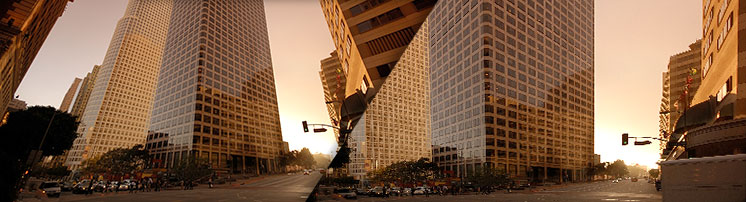
Correct photo perspective

"Curved" vertical lines are those lines and edges that run together in an image, although they are parallel to each other in reality. This effect usually occurs in pictures of buildings. Using the intelligent automatic correction, you can achieve realistic results in a flash.

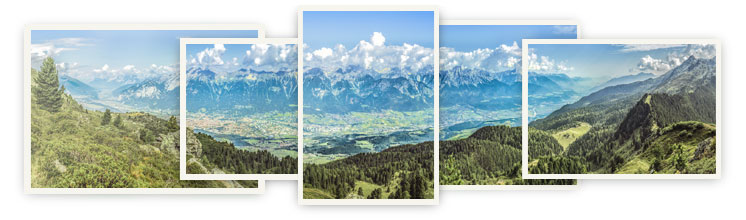
NEW! Panorama Montage

Seamlessly combine individual pictures into horizontal or vertical panoramas including automatic focal length detection, correction of lens distortion and perspectives. Automatically formats, positions and crossfades the photos.

With the new panorama montage you can create even bigger montages combining up to eight individual images.

Detailed editing

The integrated editing tool can also be very helpful when you need to make changes to a specific area of a photo. There are a number of features available for this:

  • Brighten areas for precise correction of areas that are too dark
  • Correct blemishes such as scratches and stains
  • Free objects and transfer them to other photos
  • Artistically distort your pictures
  • With a click you can transform your photos into paintings
  • Create titles to give your photos that special finishing touch
  • and much more

Quick optimization of complete photo folders

You'd like to apply the same optimization setting to more than one picture? No problem! You can easily apply the change to selected photos or all of the photos in a folder. You'll see amazing results in no time (ideal for pictures taken under similar lighting conditions).

Enjoy razor sharp pictures

It's a question we've all asked ourselves at one time or another - Why are digital photos always a bit blurry no matter how good the camera is?

The automatic sharpness adjustment is a unique feature and a real innovation in the field of image viewing software. It will make your photos appear fresh and vivid. The image sharpness is optimized automatically in display mode and you can choose between mild, medium or strong correction to get razor sharp images.

Present with zooms and camera panning

Interactive presentation mode

Experience your photos and videos as an exciting show. Presentation mode enhances your pictures with stylish zooms & camera pans and plays music contained in the folder. The useful mouse "laser pointer" is ideal for directing your audience's attention to details during presentations.

  • Synchronized playback of background music to accompany photos in slideshows
  • Sorting functions in film strip view (file name, creation date and size)
  • You can even use it as a standalone photo viewer without MAGIX Photo Manager MX Deluxe
  • Control it with touch displays* (incl. rotation, cropped view, zoom)

*requires Windows® 7

NEW! Advanced display of slideshows

How about putting your photos together in a slideshow for your friends, relatives or colleagues?

It's not only possible, it's easy! Choose the photos you want, add some transition effects and some music. That's it!

Take advantage of many new features:

  • An optimized user interface makes it even easier to use.
  • Includes eight styles (e.g. for zooms, automated camera movements, effects etc.)
  • Automatic camera panning for panoramas and portrait photos
  • Enhance your slideshows with opening and closing credits
    including your own text
  • Frequency of effects and fades can be adjusted
  • 3 new background songs
  • User-defined templates can be saved

NEW! Travel route animation with online maps

Use the improved travel route animation and online maps of the world to show the most important highlights of your vacation.
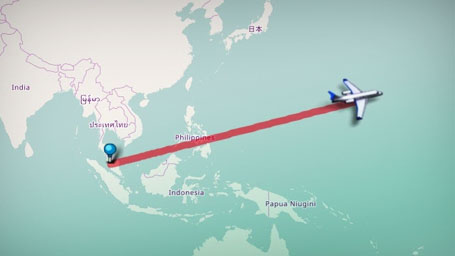
  • All modes of transportation (plane, car, ship etc.) are shown with a perspective display that marks out your route graphically.
  • Freely customizable travel route allows you to make certain stops "invisible".
  • Freely customizable length of stay at all stops
  • Easier to use thanks to a newly improved user interface. Simply click on each location on the map to quickly plot out your route.

Upload your videos to YouTube, Facebook, Flickr and your Online Album for free

Upload directly to the MAGIX Online World and share on YouTube, Facebook and Fickr

Share your most beautiful, most spectacular, or funniest photos with the whole world by uploading them to the MAGIX Online World and connecting to YouTube or online communities such as Facebook and Flickr.

Free Online Album with password protection

Impress others with photos and graphics and present your most beautiful moments and creations to the world with your very own album website.

Also available as an HTML 2.0 Version (see example) with flexible settings and additional options: Choose a gallery display or a high-quality slideshow with zooms, music and effects, integrated video players, a visitor counter, download and Facebook links, add background music, or setup guest access.

More information...

NEW! Take your photos with you wherever you go

Upload your photos to the new MAGIX Online Album mobile. Transfer your pictures and slideshows directly from your iPhone, smartphone or other mobile device with Android® technology to your personal Online Album. You'll be able to access your files anywhere and amaze your family and friends with fantastic slideshows directly on your smartphone or tablet PC.

Find out more & Free download…

Download templates and effects for your slideshow

Catooh – the Online Content Library is your online media archive. Whatever it is that you are looking for – photos on a specific theme, menu templates, fades, background music or sound effects – the program provides a direct connection to this vast library and supports all of your ideas with the right material.

More information...

Free screen transfer allows you to get help and give assistance to other users

The integrated MAGIX Screenshare makes it possible to exchange information with other users live over the Internet (Screen transfer).

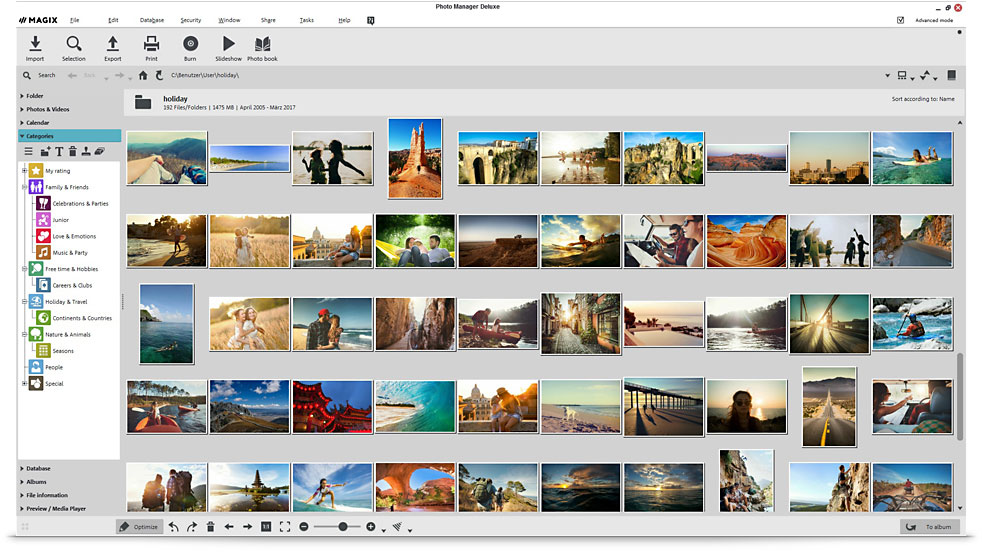
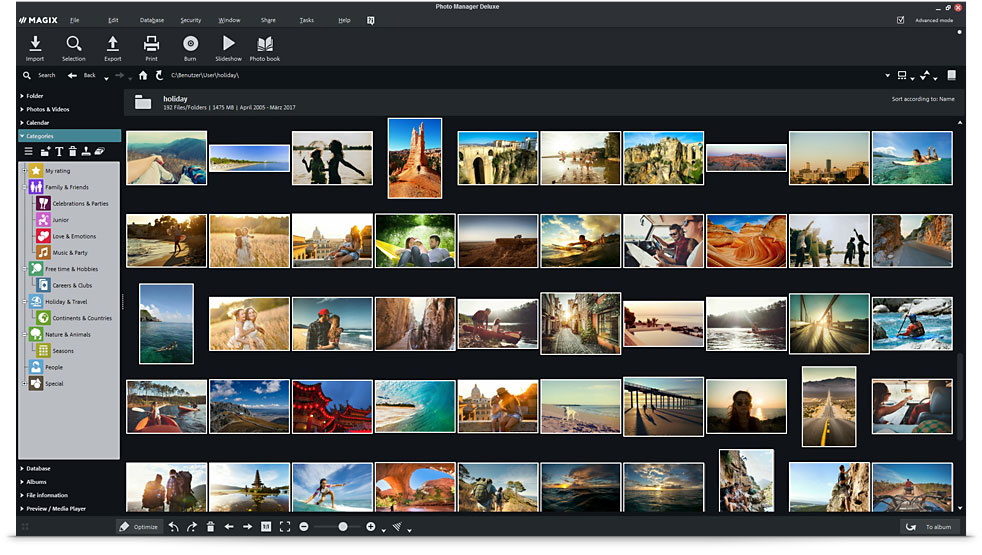
Manage and organize your picture archive

Automatically sort your photos by category

You'd like to decorate your bathroom with beach pictures or make a greeting card with an image of a beautiful sunset? Sort automatically by keywords and let your media collection be cataloged according to picture content.

The unique image analysis process scans photos for content and features and categorizes them automatically, e.g. nighttime, beach, sunset, architecture etc.

This makes it easy to find photos with a specific theme, even from different sources.

Combined search in several categories

The personalized management system lets you create your own categories manually. You can assign your images and video clips to different categories at the same time without having to save them multiple times.

This allows you to search in a combination of categories. For example, you can first look at all the pictures from one year, then all pictures of a vacation, followed by all beach photos and finally, all pictures of a certain person. This makes it possible to find the photos you are searching for in record time no matter which folder they are saved in.

Individual ratings

You can organize your photo database exactly the way you want with flexible management options. Group photos and video clips with one valuation scale, e.g. a single star might be suitable for all of your photos which require correction, while four stars indicate those which are suitable for printing, and five are reserved for those favorites which you would like to use to create special gifts.

It's a great way to keep an overview of how your photos are managed.

Find similar scenes & duplicates

You'd like to put together a collage of vacation photos or make a greeting card with a picture of flowers? Here's the solution!

Image content such as color and shape are analyzed in detail, making it possible to compile similar photos.

Also ideal for quickly finding duplicate pictures and removing them from the hard drive.

Representative picture selection

The intelligent Selection Wizard

Every photographer knows this problem: You've shot several photos and would like to put together a varied selection of the best shots but don't know where to start? The Selection Wizard is the perfect solution for designing photo albums, presenting the best shots online, creating slideshows or showing friends and family a few of your best holiday snapshots without boring them.

The new Selection Wizard is based on intelligent technology. It takes a large photo collection and puts together a representative (reduced) sample of photos, saving you time and effort. You can manually fine-tune the selection later.

Find highlights in your collection quickly

Innovative image analysis evaluates colors and focus and sorts out poor shots and blurry scenes. Metadata such as the date is also analyzed, which ensures that photos from all vacation days will be included in the selection.

You can customize the number and search criteria for the pictures you want in a number of ways:

  • Equal number of photos from each day
  • Prefer attractive photos
  • Prefer people
  • Avoid doubles
  • Avoid similar motifs

Face recognition: Search your picture database
for specific faces

Find that one particular picture among thousands in your collection!

The automatic face recognition feature detects faces and allows you to assign names to them, so you can find photos of specific people or groups.

Ideal for creating photo albums for birthdays, anniversaries, or memories of your last vacation.

Archive images and video clips

Automatic archiving

Your computer crashes unexpectedly or is stolen, and all your memories are gone? Automatic backup function makes sure these kinds of horror scenarios become a thing of the past! Burn your photo & video archive automatically and regularly to CD or DVD - either completely or only specific files.

Useful: Directories or partitions on the hard drive can be supervised and access to them can be added in the database.

Personal password protection

You'd like to put your photo album online but don't want everyone to see it? You'd like to store your private files with password protection? Using the tried and true security system, you can protect your private pictures from unauthorized access with a customized password.

Restore deleted files

You deleted the wrong photos by accident or you're not happy with the results of photo editing? Don't panic! Restore deleted photos or undo changes you made. This is easy thanks to the "database history".

All features at a glance

MAGIX Photo Manager MX Deluxe offers many high-performance features to help you manage large photo collections.

All features at a glance (PDF)

MAGIX Photo Manager MX Deluxe

Optimize your photos

Recommendations

MAGIX PhotoStory on DVD MX Deluxe

Xara Photo & Graphic Designer 7